A single console to collect, search, and act on log data from every server —
real-time ingestion, full-text search, threshold alerting, and security forensics,
built for IT and security teams who need answers in seconds, not hours.
Itheon Log Analyzer
Overview
Turn Scattered Logs Into a Single Source of Truth
Everything your team needs to collect, search, and act on log data — in one console.
Itheon Log Analyzer is a centralized syslog collection, search and analysis platform. It manages
remote hosts' log forwarding, ingests the stream in real time, and indexes every event for fast
search — giving IT and security teams a single console for live log viewing, reporting, alerting
and security investigation. From one dashboard, teams can search millions of indexed events in
seconds, build saved investigation streams the whole team shares, trace suspicious IP addresses,
and get notified the moment a threshold is breached.
Key Features
✓ Real-time log ingestion
✓ Full-text log search
✓ Rule-based saved streams
✓ Threshold-based alerting
✓ Audit & security forensics
✓ IP threat intelligence
✓ Active Directory analytics
✓ Role-based access control
Benefits
Centralized Visibility
Bring logs from every server into one searchable console instead of signing into boxes one by one.
Faster Incident Response
Rule-based alerts and saved streams surface problems the moment they start, not after a support ticket.
Stronger Security Posture
Audit & Security and IP Intelligence turn raw log noise into a real forensic trail.
Reduced Manual Server Work
Rsyslog install, discovery, and forwarding are all managed remotely over SSH, without touching each box by hand.
Role-Based Data Access
Assign specific servers to specific users, so every team only ever sees the logs relevant to them.
Lower Storage Costs
Automatic retention and archiving keep only what you need, compressing or deleting the rest on schedule.
Itheon Log Analyzer
Console Capabilities
Everything In One Console
Collect, search, and act on log data without switching tools.
1 Live Log Search
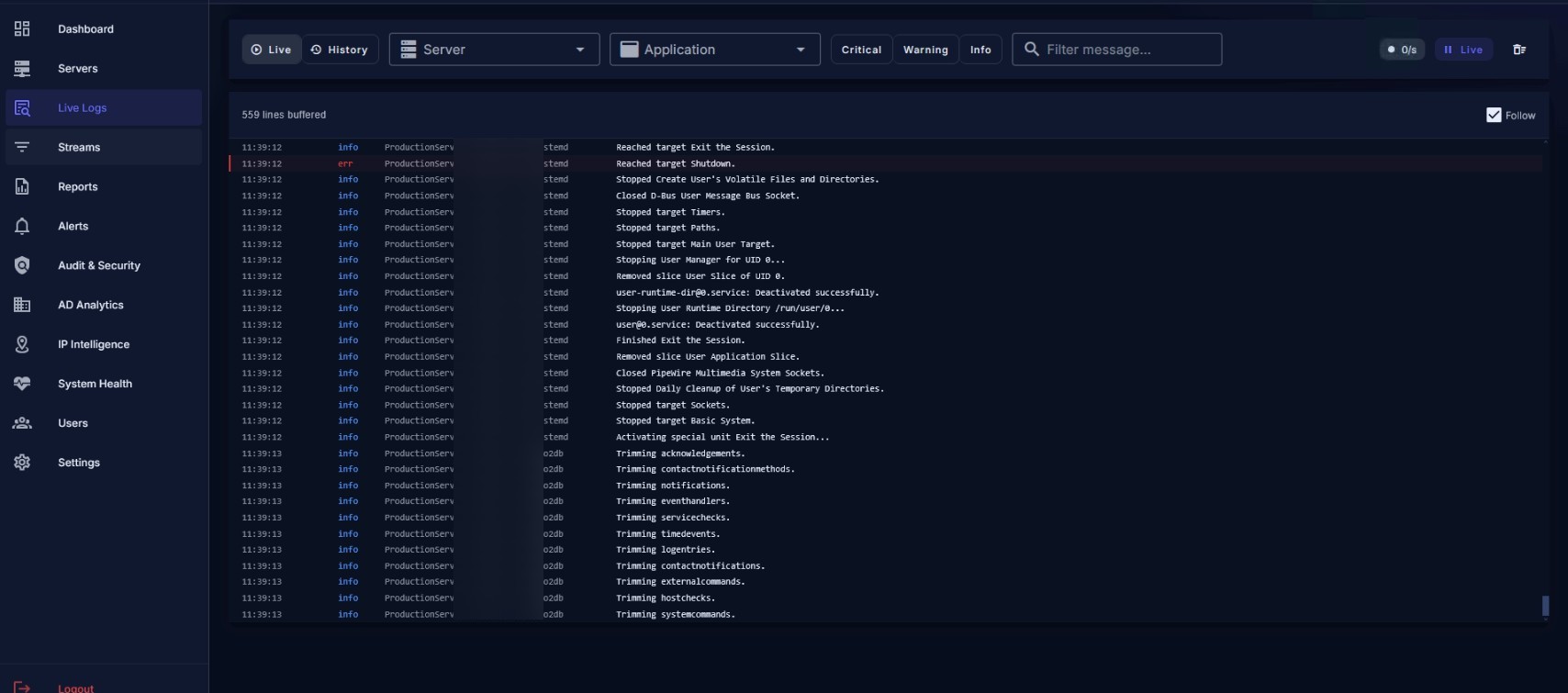
Filter and search the full indexed log corpus by server, application, severity, and free text, with results in seconds.
2 Dashboard & Insights
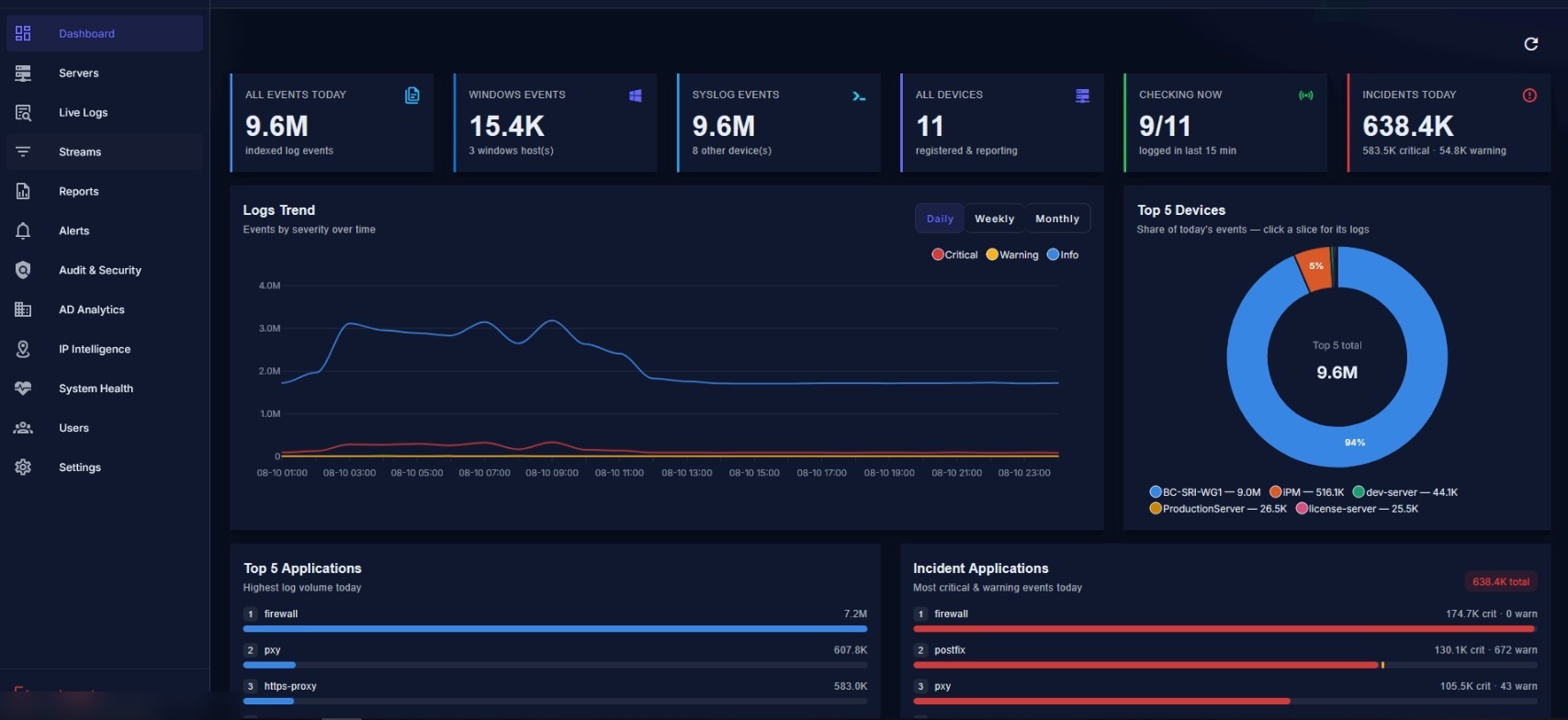
A daily situational summary — event volume, top devices, top applications, and today's incidents at a glance.
3 Saved Streams
Save rule-based views over the log corpus so the whole team shares the same live investigation.
4 Reports & Analytics
Severity, server health, application, and security reports, all built from the same filter set.
5 Threshold Alerting
Define what to watch, when to fire, and who to notify, with cooldowns so one incident doesn't page anyone twice.
6 Audit & Security
Failed logins, root attempts, sudo usage, and port scans, each signal drillable down to the actor and target.
7 AD Analytics
Track Active Directory logons, failed logons, privileged access, and account changes across every domain controller.
8 IP Intelligence
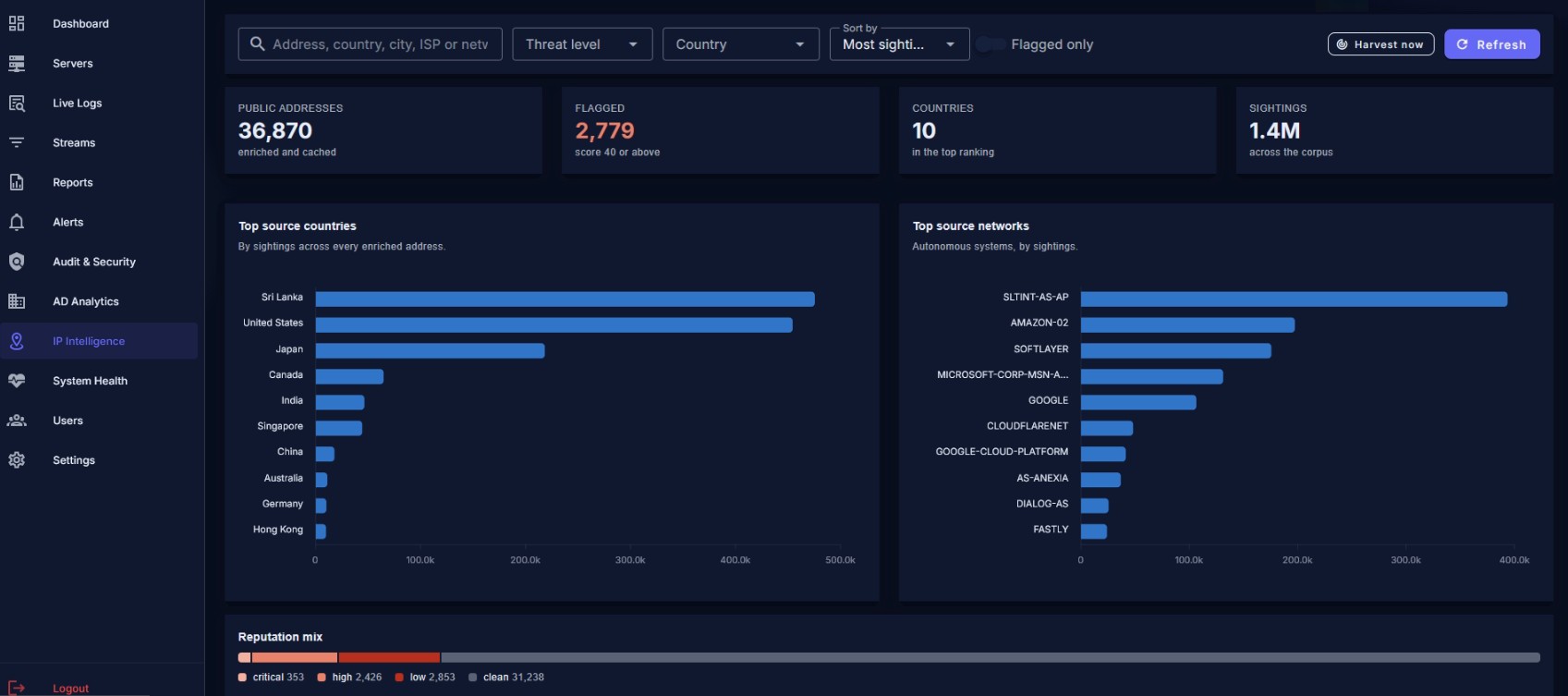
Enrich every public IP address in your logs with geolocation, network ownership, and threat reputation.
Live Log SearchIP Threat Intelligence
Itheon Log Analyzer
Alerting, Reporting & Contact
Stay Ahead of Incidents
Rule-driven alerting and aggregated reporting, sharing the same filters across the console.
Alerting & Notifications
Threshold-based event definitions over a trailing time window
Cooldown periods so one ongoing incident doesn't page anyone every minute
Email and SMS notification routing per alert definition
On-demand test firing to confirm a rule matches what was intended
Full fired-event history for later review
Reports & Analytics
Severity breakdown and severity-over-time charts
Per-server health and error-rate profiles
Application-level log volume ranking
Security event counts across the fleet
CSV export for offline analysis
See It On Your Own Logs
Request a live demo and we'll walk through the console with your team.
 itheon